The blue boost button on a Facebook post can be tempting. Why not gain some extra reach with just a few clicks? It seems innocent, but for most small businesses, boosting a post can be more expensive than running a traditional ad through Meta Ads Manager. Let’s look at the differences and which one might be better for you in the long run.
What the Boost Button Actually Does
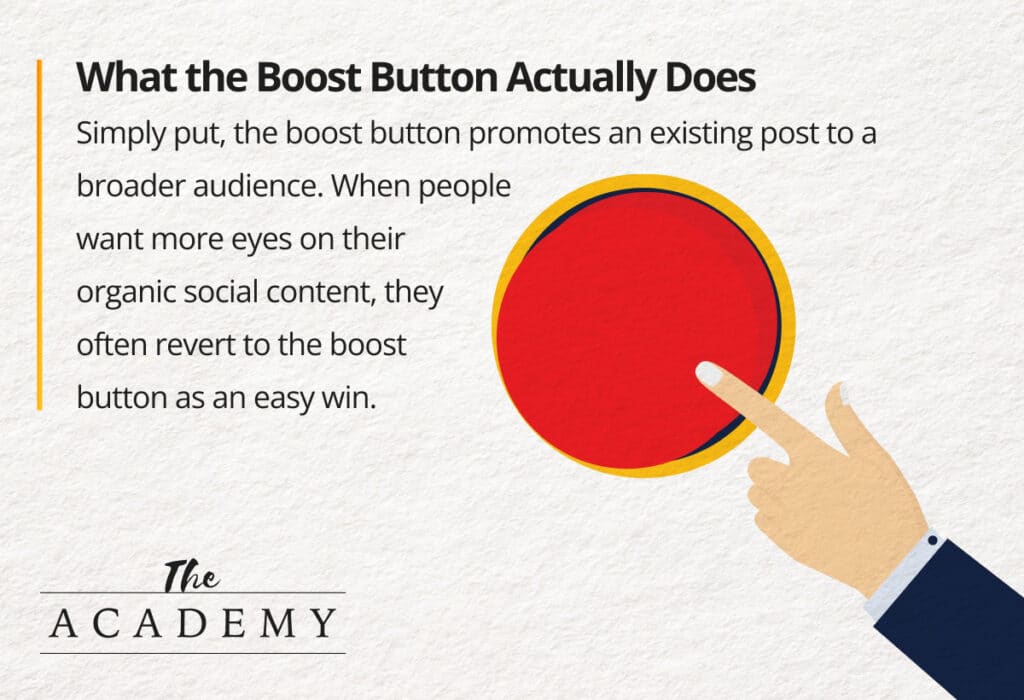
Simply put, the boost button promotes an existing post to a broader audience. When people want more eyes on their organic social content, they often revert to the boost button as an easy win. Here are some other quick examples of why the boost button exists and how it works.
- Meta loves the boost button. Therefore, you would think that you should use this tool and bow down to the social media overlords. But, if you take a closer look at it, you will see that they love the boost button because it makes more money for them and not necessarily for you. Wondering why the button shows up on every post and sometimes is promoted to you? Because the more ad spend you use, the more ad dollars in their pocket. And we all know that they have enough money already.
- The boost button is designed for reach and engagement. It’s not designed to get landing page views, conversions, or leads. This is why it’s more of a quick win but not a good long-term strategy. The more in-depth your needs are, the less relevant this quick win strategy becomes.
Now that we know why the boost exists and how it works, let’s take a look at its limitations that may drain your social media advertising budget.
Why Boosted Posts Rarely Drive Real Business Results
If you’re still not convinced to use Meta Ads Manager and boost content instead, let me lay out the limitations you will run into.
- Audience targeting is surface-level compared to Meta Ads Manager. There are not many options to target your audience effectively and reach your buyer personas. Instead, you’ll reach a large swath of Facebook users who may have no need or connection to your business. This will consistently work against your marketing budget.
- No control over ad placements. One square image (1080p x 1080p) may not work well for Instagram or Facebook Stories. Important information could get cut off, or worse, your creative elements could be seen as unprofessional to your audience. Social media ads are not made for a one-size-fits-all strategy.
- No A/B testing capabilities. One of the ways you see real traction when you use social ads is to test content elements against other ads. Will image A perform better than image B? If you use the boost button, you won’t be able to tell. You actually won’t even be able to test it at all. If you’re not learning what resonates with your audience, then you’re wasting your ad dollars and your efforts.
“Social media ads are not made for a one-size-fits-all strategy.”
What to Do Instead: A Simple Intro to Meta Ads Manager

If the boost button is not a quality option to try for your business, what is? You’ve seen the term “Meta Ads Manager” and may not know what that is or how it’s different. While I won’t do a deep dive into the entire platform and what it can offer, I will focus on why its campaign structure is set up to help your business see real results.
- The 3-level structure: Campaign – Ad Set – Ad
- The campaign level is where you will choose your objective. Where the boost button is limited to reach or engagement, Meta Ads Manager offers more objectives, such as link clicks, landing page views, leads, conversions, or sales. This is where you can make your goal as specific as your sales team needs it to be.
- The ad set level is truly where you see the needle move. This is where you can define your audience to target your exact buyer personas. You can use customer lists, retarget website visitors, use detailed demographic information, and so much more. You can also set your budget, schedule when your ads will be delivered, and control what placements you want your ad to appear.
- After you set up the campaign and ad set, you’ll start to build out your ad. Unlike boosting a post, you can upload multiple sizes of your design, A/B test certain ad elements, use detailed calls to action that relate to your business, and more.
- Having this flexibility with your ads is crucial to your success. By using the structure above, you’ll reach the right people and have more control over what your audience sees from your brand and how they respond.
You don’t need to do this perfectly the first time. Just set up your Meta Ads Manager and take some time to learn the interface to see how it can help you stand out from the competition.
Boost Your Strategy, Not Facebook’s Bank Account
There is a way to use the boost button effectively, but it should never be your main strategy. If you’re looking to see quick reach and have easy access, this could work for you. However, the more you rely on it, the more money you put in Facebook’s pocket. Take control of your social media ad strategy and use the tools available to you. If you need help setting up your Meta Ads Manager or could use a walkthrough, we’d be happy to meet with you. Send us a message, and we’d be happy to help boost your performance.

Related Articles:
From “What Happened?” to “What’s Next?”: How Marketing Reporting Keeps…
Every month, businesses receive marketing reports filled with charts, percentages, increases, decreases, comparisons, and a suspicious number of acronyms. After looking at all those numbers,…
Why Your Social Posts Are Showing Up in AI Search…
Your potential customer isn't just searching for your company anymore on Google. They're looking at Chat GPT, Claude, Gemini, and other AI search engines. Instead…
What PPC Needs From Your Landing Pages
PPC and web design tend to operate in their own lanes, and that's usually fine — until a beautifully designed landing page quietly underperforms a…


Most Popular Articles
How to Use Email Analytics and Metrics to Measure Success
Email marketing remains one of the most effective digital marketing strategies, but success doesn't come from simply sending messages out into the abyss. To truly…

Seeing Favicons in Your Google Search Results? Here’s Why…
Have you noticed anything different in your Google Search results lately? Google added tiny favicon icons to its organic search results in January. It was…

AI or Agency? The pros and cons of a human touch vs artificial intelligence in web design
Your organization’s website is a critical marketing channel. It’s the first impression many customers have of your business and it plays a vital role in…